
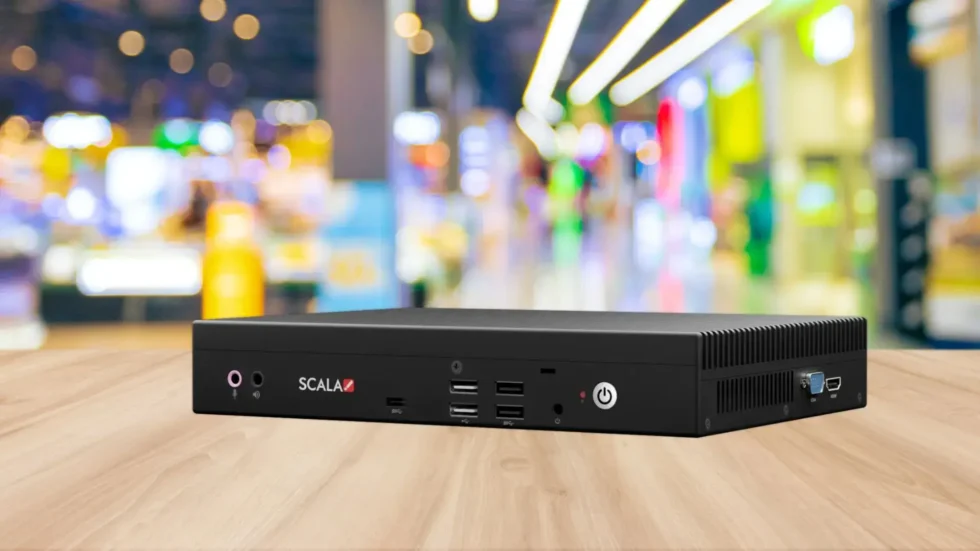
Choosing a digital signage media player in Doha starts with the screen, content and software it must support. A matching connector alone does not confirm compatibility. Use this checklist to record your requirements, compare the proposed equipment with current manufacturer documentation and test the complete setup before deployment. Features, licensing and availability depend on the selected model.
Record Your Screen and Content Requirements
- Displays: List each screen model, input connections, native resolution, orientation and intended operating hours. Record whether screens show the same playlist or independent content.
- Content: Collect representative images, videos, audio and web pages. Note video codecs, containers, resolution, frame rate and any live-data or interactive requirements.
- Installation: Record the site location, cable route, available power, mounting space, ventilation and access for maintenance. Confirm operating conditions against the proposed player specification.
For commercial LCD screens in Qatar, check the exact display input specifications and supported signal formats. For LED walls, include the processor or controller in the compatibility review; the player output must suit the complete signal path.
Check Player, CMS and Display Compatibility
Ask the supplier to identify the exact player model, firmware or operating-system version, content management system (CMS) and licence needed for your workflow. Confirm support in current documentation rather than assuming every product from the same brand behaves alike.
- Connections and output: Match player outputs to display or controller inputs, including the required resolution, refresh rate, audio path and any adapters. Check protected-content requirements when relevant.
- Playback: Verify the actual codecs and content formats, not just a file extension or a general claim such as 4K support. Test portrait layouts, text readability and multi-screen synchronisation if required.
- CMS support: Check the supported player platform and versions, scheduling, user roles, storage limits and remote-management functions.
- Licensing: Record per-player or per-screen charges, subscription terms, included features, renewals and who owns the account and content.
Plan Network Access and Remote Management
Give your IT team the supplier’s documented network requirements before installation. Confirm Ethernet or Wi-Fi availability, permitted outbound destinations, proxy restrictions, time synchronisation and the method for delivering content updates. Do not assume a guest network or captive portal is suitable for an unattended player.
Agree who may publish content, administer devices and approve updates. Use the organisation’s approved access controls and record how the team will receive fault notifications, recover a failed player and obtain support. Remote monitoring and screen-control features vary by player, CMS and display.
Test Playback Before Deployment
- Connect the proposed player to the actual screen or controller using the intended cables and adapters.
- Run representative content and a full schedule. Check image scaling, orientation, transitions, audio, text and any live web content.
- Test content publishing, permissions and remote-management actions with the intended staff accounts.
- During an agreed test window, interrupt internet connectivity and document what continues playing, what stops and how the player recovers when connectivity returns.
- Test an approved restart and confirm schedule, time-zone and content recovery. Record model versions, licence details, results and unresolved issues for handover.
Keep a simple acceptance record: requirement, proposed model or software, documentation reference, test result and owner. Resolve failures before ordering or rolling out additional screens.
Frequently Asked Questions
Can an existing screen be reused?
Possibly. Check its input connections, supported resolution, orientation, condition and operating requirements against the player output. Test the complete setup first. An adapter alone does not establish that playback, control or audio will work as intended.
What happens if internet access fails?
It depends on the player, CMS and content. Some configurations cache downloaded media, while live websites, streams or data feeds may need connectivity. Confirm offline behaviour and recovery through documentation and a practical test; do not assume every playlist remains available.
Plan Your Digital Signage Project
Explore our digital signage player articles, digital signage planning and LED screen and video wall requirements. Related options include LCD displays, floor-standing displays and event screen rentals.
Share your display model, screen count, site location, sample content and preferred CMS when you request a quotation. Qsmart can review documented compatibility and confirm availability, configuration, installation and support scope in a written proposal.
Qsmart Networks & Communications WLL
Office 36, 8th Floor, Hleyton Tower, Al Corniche, Doha, Qatar
Phone: +974 44141764 | +974 30618161
Email: sales@qsmart.qa | info@qsmart.qa


