
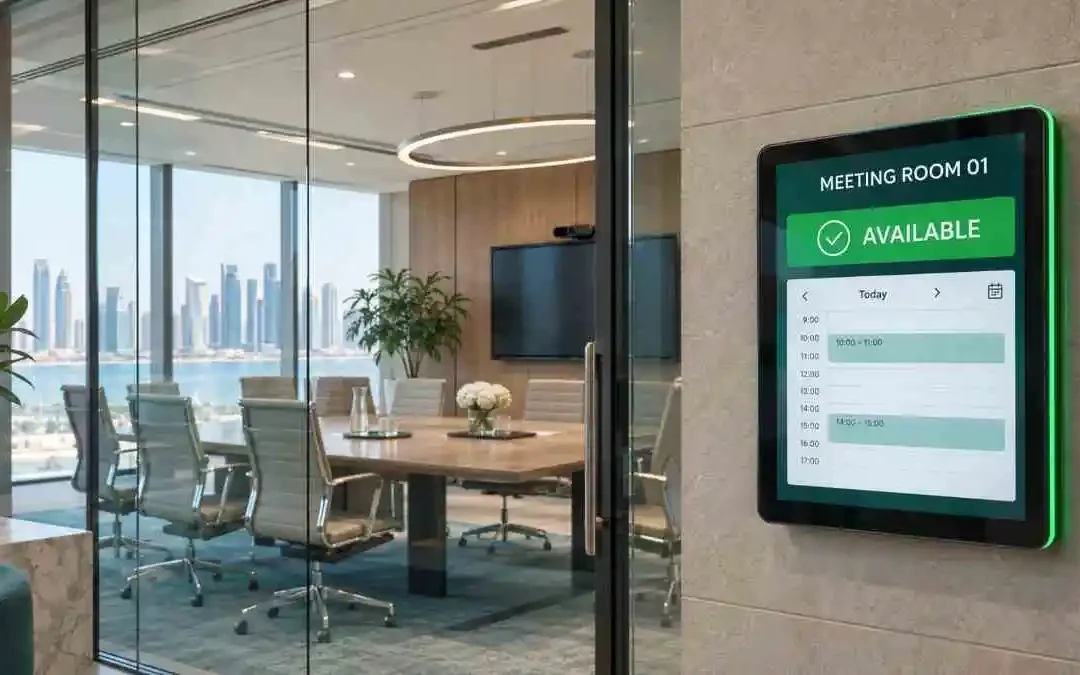
A meeting room scheduler in Qatar helps offices manage room reservations through a shared calendar and, where installed, a touchscreen booking panel outside each room. Staff can check availability and, on supported systems, reserve a room directly from the display.
Connected calendars and panels show updated availability, helping teams avoid conflicting reservations. However, reliable scheduling also depends on correct calendar settings, booking rules and staff consistently using the system.
Why Meeting Rooms Get Double-Booked
Booking conflicts often happen because reservations and actual room use do not match. One employee books through a calendar while another walks into an apparently empty room.
Without visible availability at the entrance, staff must check their devices or interrupt colleagues. Cancelled meetings can also leave reservations behind, making empty rooms appear unavailable.
Informal discussions create another problem: people occupy rooms without registering their booking. These small gaps cause delays, interruptions and frustration across a busy office.
How a Meeting Room Booking Panel Works
A room booking panel connects to a compatible scheduling platform and displays information for a particular room.
Visible availability: Colour indicators commonly show whether a room is available or reserved, helping employees check its status from the corridor.
Meeting information: Depending on configuration, the display can show meeting times, organizer details and upcoming reservations. Privacy settings should control which information appears.
Walk-up reservations: Supported panels let employees book an available room at the entrance. The reservation then syncs with the connected calendar.
Check-in and release: Some systems require attendees to confirm arrival and can release unchecked reservations after a configured period. Availability depends on the selected solution.
Benefits for Businesses in Qatar
Fewer interruptions: Visible booking information reduces unnecessary knocking and helps staff locate an available room quickly.
Better planning: Systems with reporting reveal reservation patterns and frequently booked rooms. Measuring actual occupancy may require check-in features or sensors, since a reservation alone does not prove attendance.
Clearer visitor guidance: A conference room scheduling display can show room names and approved meeting information, helping visitors identify their destination.
More organized hybrid meetings: Reliable reservations support smoother coordination between office employees and remote participants. Suitable conferencing equipment and dependable connectivity remain essential for the meeting itself.
What to Check Before Choosing a System
Calendar compatibility: Confirm integration with your existing business calendar, including room resources, booking permissions and conflict handling. Avoid creating a separate booking process that staff must maintain manually.
Screen visibility: Choose a readable display with suitable brightness, clear status indicators and straightforward controls.
Booking features: Verify walk-up booking, reservation limits, check-in options and automatic release. Ask which features require additional software or licences.
Privacy controls: Check whether confidential meeting titles and organizer details can be hidden, particularly in corridors accessible to visitors.
Reporting: Establish whether reports measure reservations, check-ins or actual occupancy so that you interpret the data correctly.
Installation requirements: Confirm mounting arrangements, network access and power requirements. Some panels support Power over Ethernet; others require a separate power supply. Coordinate installation with office IT cabling.
Local support: Choose a provider that can configure the system, train staff and provide support after handover.
Connect Scheduling with Your Wider Meeting Room Setup
A meeting room booking system in Qatar should complement the equipment inside each room. Displays, microphones, cameras and reliable networking help teams move smoothly from reservation to discussion.
Explore Qsmart’s meeting room solutions and office IT cabling services when planning an installation or upgrading existing rooms.
Frequently Asked Questions
Can panels work with existing calendars?
Many systems integrate with common business calendar platforms. Confirm compatibility, licensing and room resource configuration before purchasing.
Can employees book directly from the panel?
Many panels support walk-up reservations. Check that your chosen hardware, software and booking permissions allow this feature.
Does every room need a panel?
A dedicated entrance display generally serves one room. Offices can begin with their busiest rooms and expand as needed.
What infrastructure is required?
Requirements vary by product, but typically include suitable mounting, network connectivity and power. Confirm these during site assessment.
Simplify Your Office Room Bookings
Qsmart designs, installs and supports meeting room scheduling systems for businesses across Qatar. Explore our Meeting Room Scheduler page or contact our team to discuss your rooms, calendar platform and installation requirements. Request a quotation for a solution suited to your office and the way your team works.


