
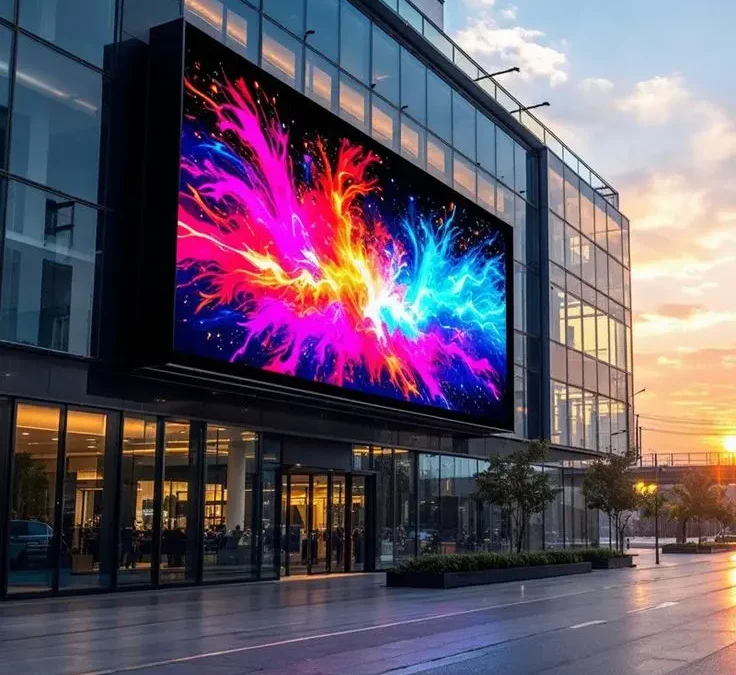
Walk into almost any mall, corporate lobby, or restaurant in Doha these days and you’ll spot one somewhere a bright, sharp LED screen running promotions, menus, or brand visuals. They’ve quietly become one of the most common upgrades Qatari businesses make, and for good reason: a good display grabs attention in a way a printed poster simply can’t.
The problem is that “LED screen” covers a huge range of products, and picking the wrong one is an expensive mistake. Businesses regularly overspend on specs they don’t need, or underspend and end up with a screen that looks washed out under office lighting. Here’s how to actually think it through.
The Real Cost of an Outdated Meeting Room
The numbers back up what most employees already feel. Recent workplace surveys suggest the average professional now loses close to five hours a week to unproductive meetings, nearly double what it was before hybrid work became the norm. Other research found a significant share of employees waste up to half an hour just getting a room’s technology working before a meeting can even start. Multiply that across a company running a dozen meetings a day, and it stops being a minor annoyance and becomes a real line item on the payroll — one a well-designed smart meeting room usually pays back faster than businesses expect.
What Actually Makes a Meeting Room “Smart”
The term gets used loosely, but a genuinely smart meeting room isn’t about adding gadgets for the sake of it. Each component is solving a specific, everyday frustration. Interactive displays let people write, annotate, and share content on screen, and connect a laptop with one tap instead of digging through a drawer of adapters. Video conferencing systems with proper cameras and microphones mean the person joining remotely can actually see the room and be heard clearly, instead of squinting at a laptop propped against a water bottle. Wireless presentation tools remove the cable hunt entirely. Professional audio cuts down on the echo and background noise that quietly exhausts everyone on a call without them realising why. Room scheduling displays outside the door stop the awkward interruption of walking into a room someone else already booked. And centralised AV control means one button dims the lights, switches to the right input, and starts the call — no phone call to IT required. None of this is flashy. It’s friction being removed, one small step at a time, and that’s exactly why it adds up to real productivity gains.
Start With What the Screen Is For
Before anything else, get specific about where this screen is going and what it needs to do. A screen for a boardroom presenting spreadsheets to six people needs completely different specs than a screen mounted above a reception desk playing brand videos on loop, and both are worlds apart from an outdoor display facing a busy street in the Doha heat.
Retail and hospitality businesses usually want something bright and eye catching for digital menus or promotions. Corporate offices tend to prioritize sharp text and video calling clarity in meeting rooms. Control rooms and command centers need reliability above almost everything else, often running 24/7 without a single dead pixel. Figure out the job first the technical decisions get much easier once you know what you’re actually solving for.
Understand Pixel Pitch (It Matters More Than Screen Size)
Pixel pitch is the distance between individual LEDs, measured in millimeters, and it’s the single most important spec most business owners have never heard of. Smaller pixel pitch means a sharper image up close; larger pixel pitch is fine and cheaper when people are viewing the screen from further away.
A good rule of thumb: for a screen people will stand close to, like a reception desk or a retail counter, look for a fine pixel pitch, generally under 2mm, so text and detail stay crisp. For a screen viewed from across a large lobby or outdoors from the street, a larger pixel pitch is not just acceptable, it actually saves you money without any visible downside, since nobody’s standing close enough to notice.
Indoor vs Outdoor Changes Everything
This decision affects almost every other spec on the list, so nail it down early. Indoor screens are built for controlled lighting and don’t need to fight against direct sun, which means they can be less bright and considerably more affordable. Outdoor screens in Qatar have to deal with intense sunlight for much of the year, along with heat, dust, and humidity swings. That means you need significantly higher brightness often 5,000 nits or more just to stay visible at midday plus proper weatherproofing and a cooling system that can handle Doha summers without the panel overheating. Skipping this step to save money on an outdoor installation is one of the most common regrets business owners have a year in, when the screen has already started degrading.
Size Should Match the Room, Not Just the Budget
It’s tempting to go as big as the budget allows, but a screen that’s too large for the viewing distance can actually look worse, not better pixelation becomes noticeable, and the image can feel overwhelming in a smaller space. As a general guide, the ideal viewing distance is roughly proportional to the pixel pitch: the finer the pitch, the closer people can comfortably stand. Measure the actual space first — how far away will most people typically be and let that number guide the screen size, not the other way around.
Frequently Asked Questions:
1. What’s the real difference between LED and LCD screens for business use?
screens are generally brighter, more energy-efficient, and better suited to larger sizes and outdoor use. LCDs can offer sharper detail at smaller sizes and often cost less for indoor, close-viewing applications like a small reception display.
2. What pixel pitch should I choose for a meeting room versus a large lobby?
A meeting room, where people sit close, generally needs a fine pixel pitch under 2mm for crisp text and video calls. A large lobby viewed from a distance can use a wider pitch, which is more budget-friendly without any visible loss of quality.
3. How much does a commercial LED screen installation typically cost in Qatar?
It varies widely based on size, pixel pitch, and indoor versus outdoor specs, so it’s worth getting a tailored quote based on your specific space rather than relying on a generic price range.
4. Can LED screens handle Qatar’s extreme summer heat if installed outdoors?
Yes, but only if they’re specifically rated for outdoor use with proper weatherproofing and active
cooling. A standard indoor panel will not hold up outdoors here, so this needs to be confirmed before installation, not after.


